Dual Controller
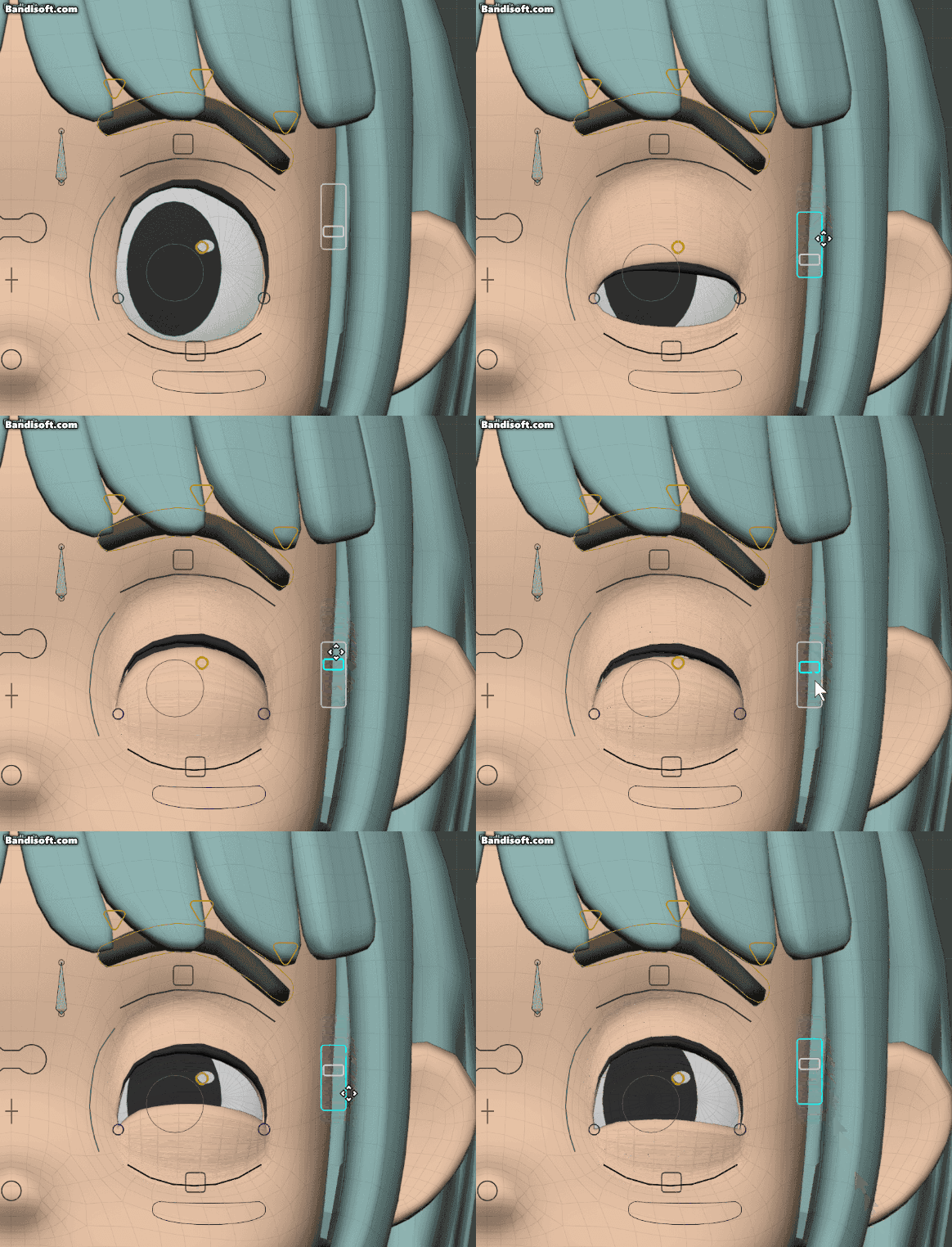
Dual Controller adds an extra sub-controller to an existing bone. Separate from the normal slider system, it lets you add an auxiliary 1D or 2D controller.
How To Add It
- Select the bone you want to add a Dual Controller to
- Open N Panel > GUI tab > Dual Controller
- Run Add Dual Controller
- Choose
SliderorJoystickin Type - Adjust initial settings such as Track Style, Direction, and Mapping as needed
- After creation, assign targets for each direction or axis
Warning
A Dual Controller is added as a child of the currently selected bone.
Types
| Type | Description |
|---|---|
| Dual Slider | Adds a 1D controller with either a line or box style |
| Dual Joystick | Adds a circular 2D controller |
Dual Slider
Track Style
In Dual Slider, you can choose both appearance and movement direction.
- Style: Box / Line
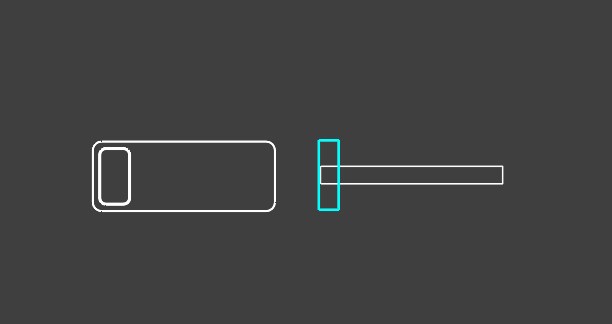
- Direction: Horizontal / Vertical
Mirror
Duplicates the Dual Controller to the bone on the opposite side. This appears when an L/R bone pair exists.
Warning
If the target type is Data Path, Mirror cannot be used.
L/R Sync
Appears for a Horizontal Dual Slider when an L/R bone pair exists. When enabled, left and right controls move together while Blender's X-Axis Mirror is ON.
Warning
When L/R Sync is enabled, the slider direction on the R side is reversed.
Note
This option is not shown for Vertical because it has no effect there.
Dual Joystick
Mapping Mode
| Mode | Description |
|---|---|
| Omni | Drives a single target based on distance from the center. The farther the handle moves away from the center, the larger the value becomes, regardless of direction |
| 4-Way | Drives different targets for up, down, left, and right. This behaves the same as a regular joystick container |
Options
- Clamp Inner — When ON, the inner circle is clamped to the outer circle's range
Notes
Position Adjustment
Use Position (X / Y / Z) to adjust the placement offset of the Dual Controller. When Scaled mode is ON, the values are displayed at 100x scale, which makes fine adjustment easier.